Record payments in and out, manage cash and bank accounts and add expenses.
Step-by-step
- Payment In
When a customer pays, open Payment In. Select the party, enter the amount, the payment mode like cash, UPI or bank, and the account where money was received.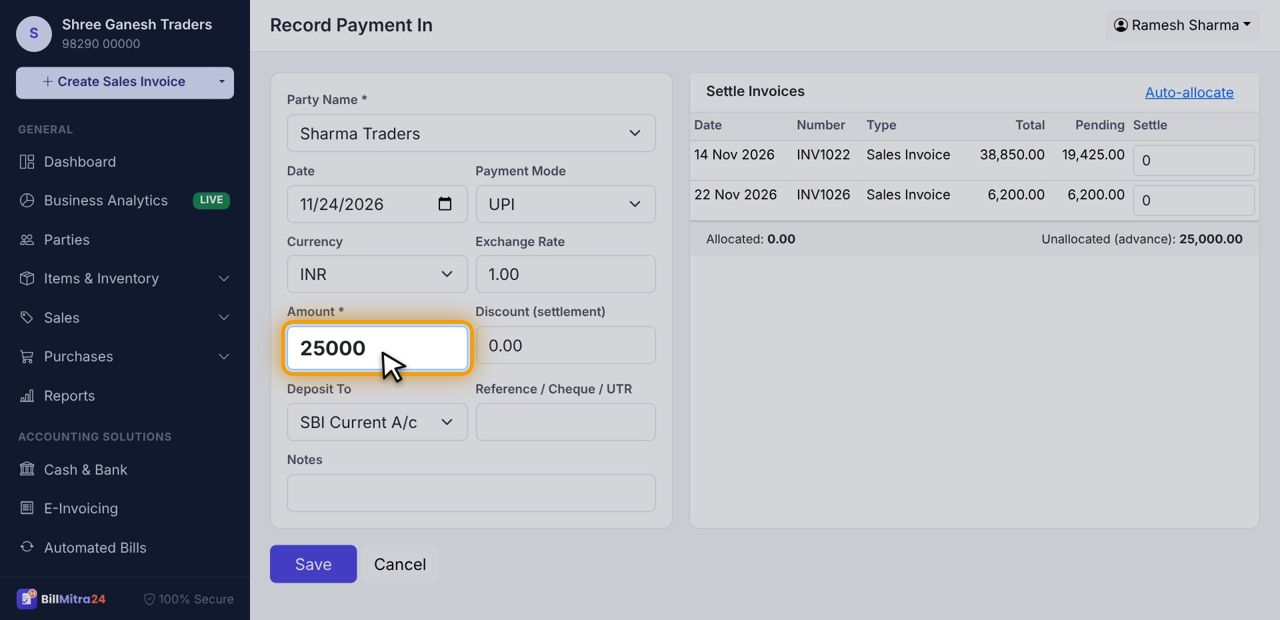
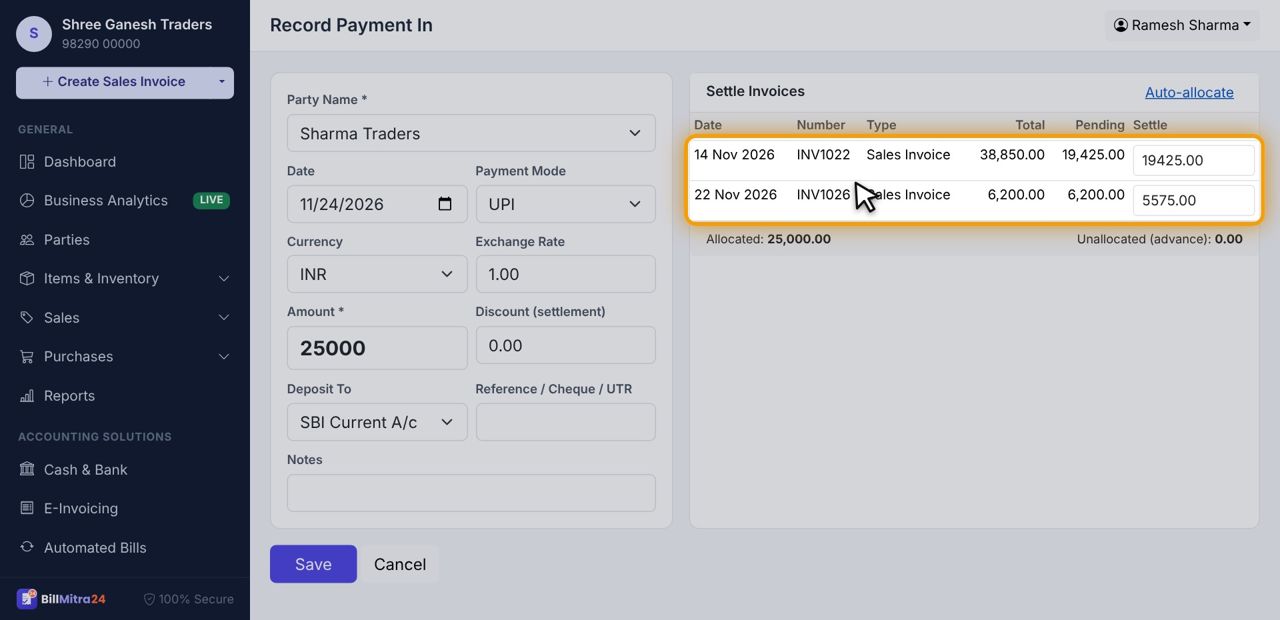
- The amount is settled against the oldest unpaid invoices automatically. You can change the settlement for each invoice before saving.
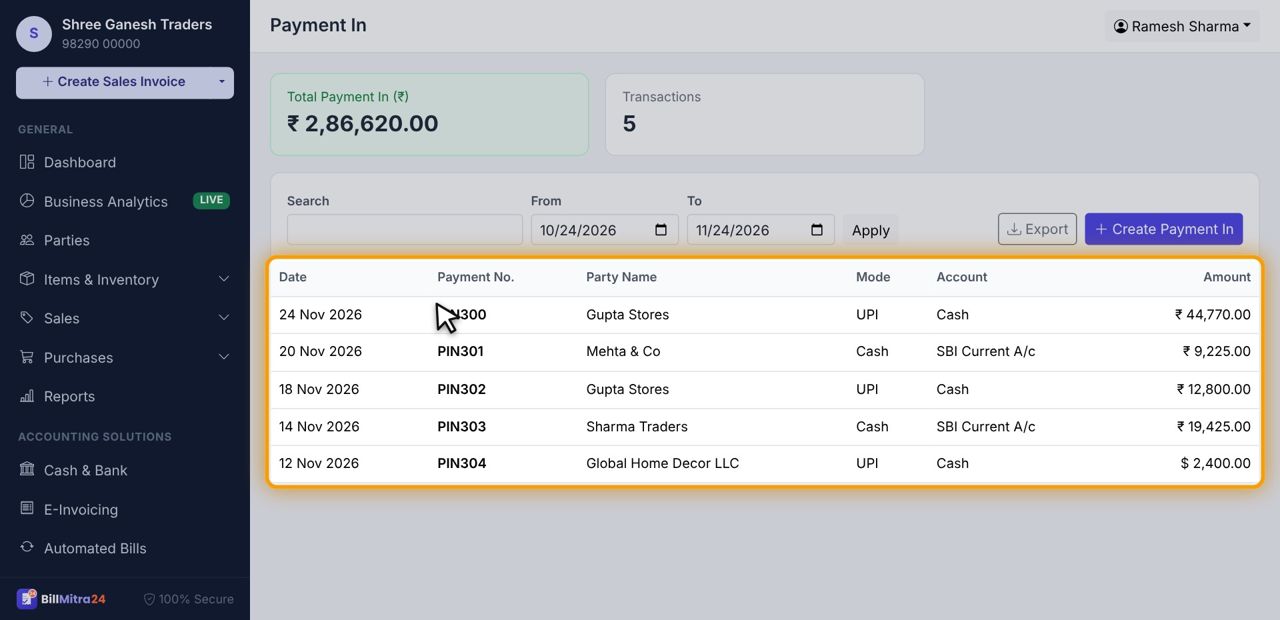
- All payments are listed in the payments register. Payment Out works the same way for paying suppliers.
- Cash & bank
Cash and Bank shows the balance of each account and every transaction. Add bank accounts, transfer money between accounts, and add or reduce money.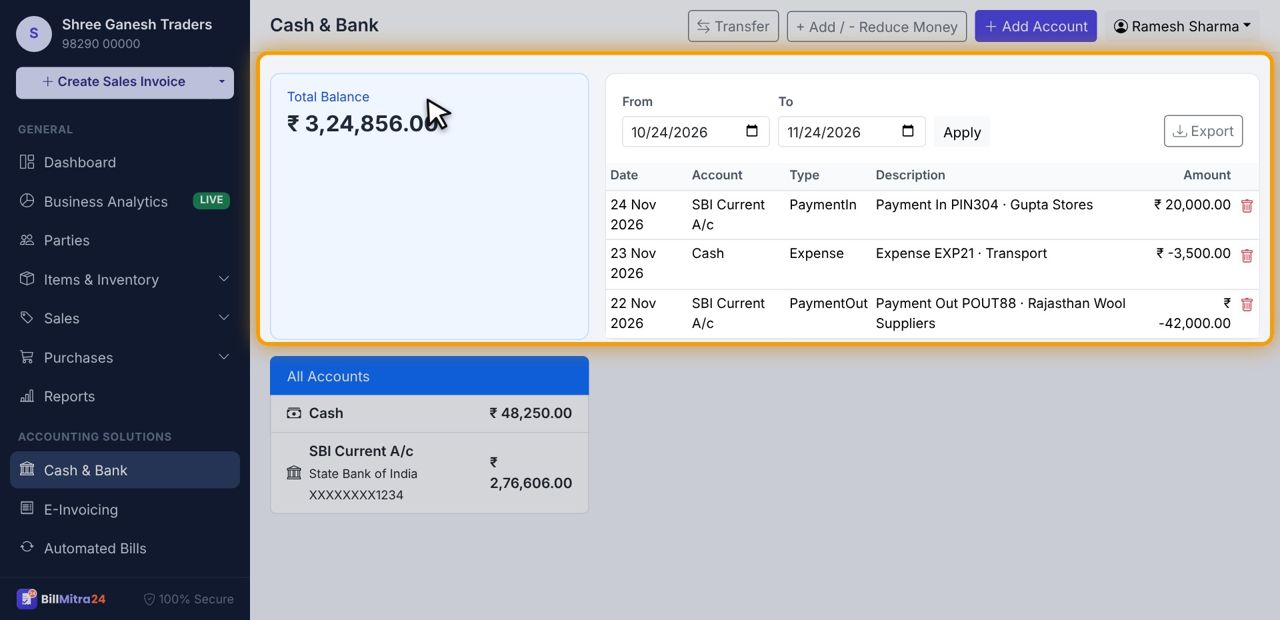
- Expenses
Record business expenses like rent, salary or transport in Expenses. Choose the category, amount, GST if applicable and payment mode. Expenses appear in profit and loss.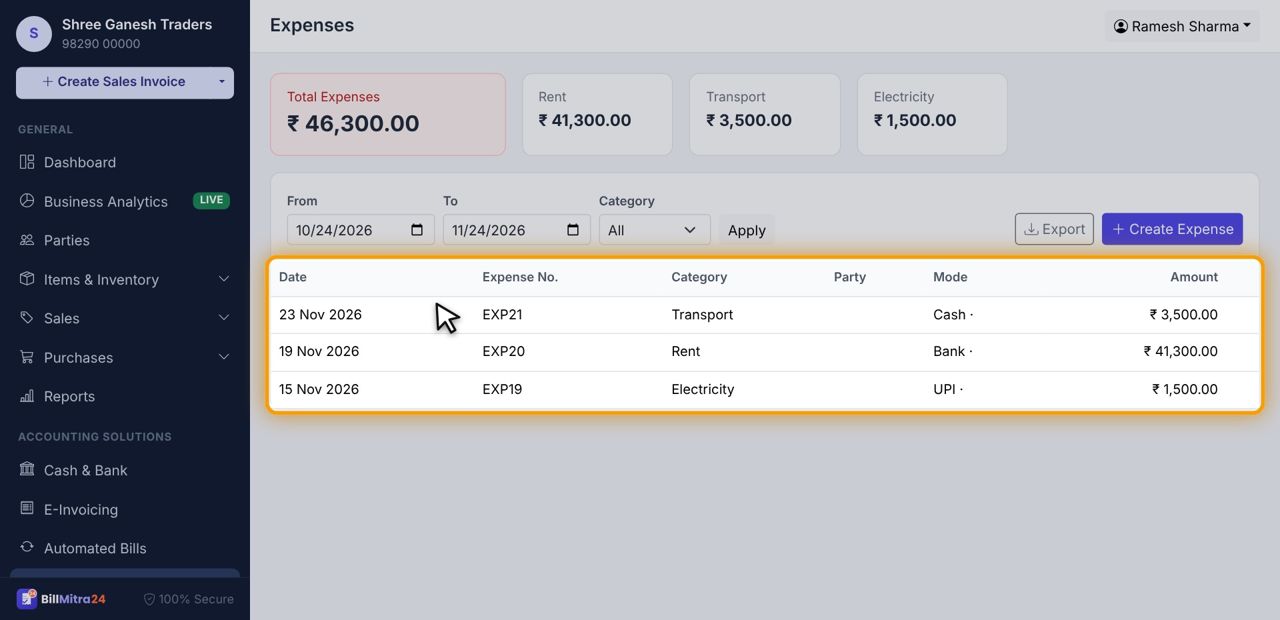
Tips
- Every payment updates the party balance, the invoice status and the cash/bank account.