Add customers and suppliers, track balances and see the party ledger.
Step-by-step
- Parties list
Parties are your customers and suppliers. The Parties page shows the total you have to collect and to pay, and the balance of every party.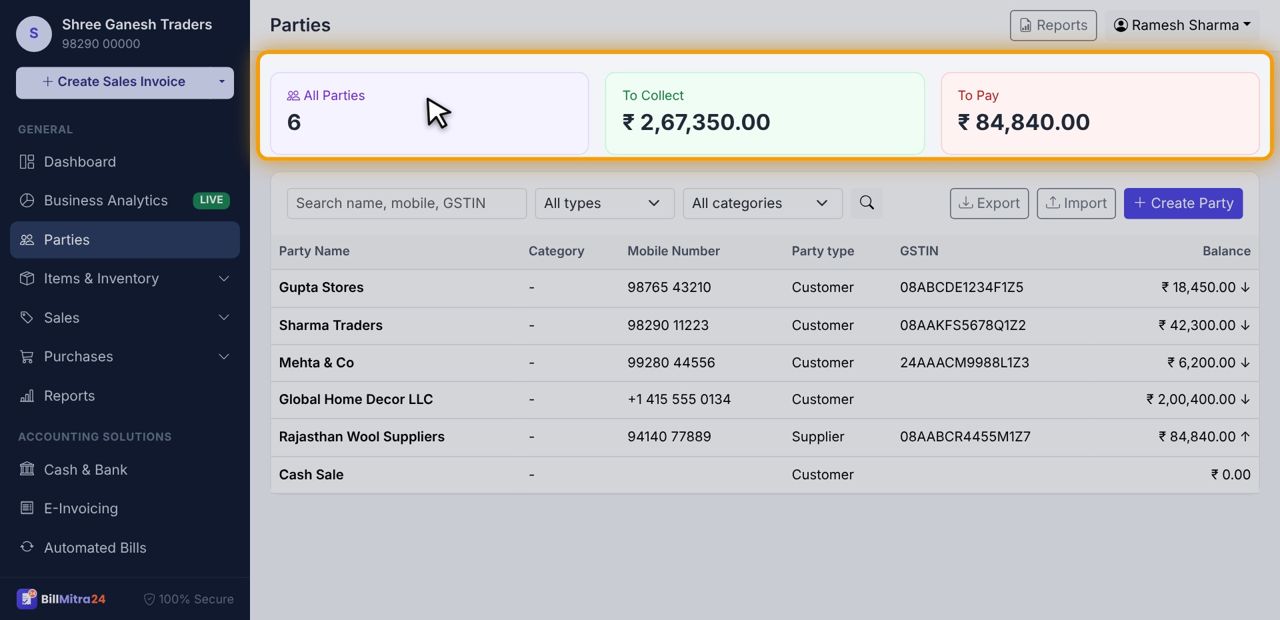
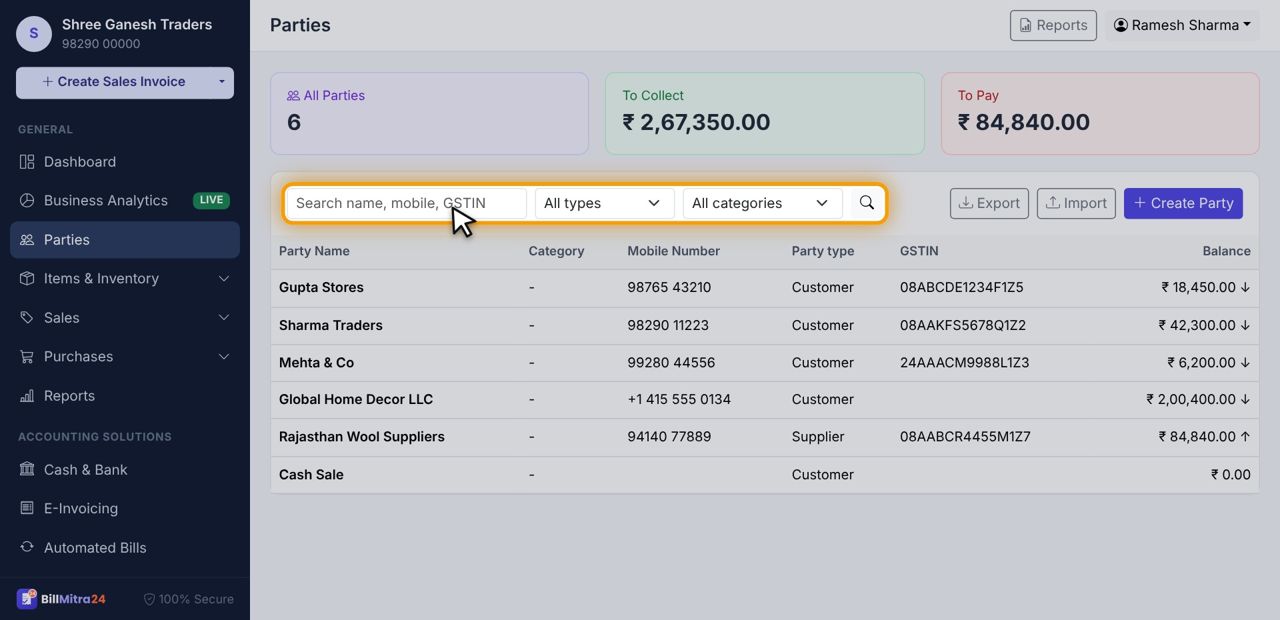
- Search by name, mobile or GSTIN, filter by type or category, and export or import the list in Excel.
- Create a party
To add a new party, click Create Party. Enter the party name and mobile number.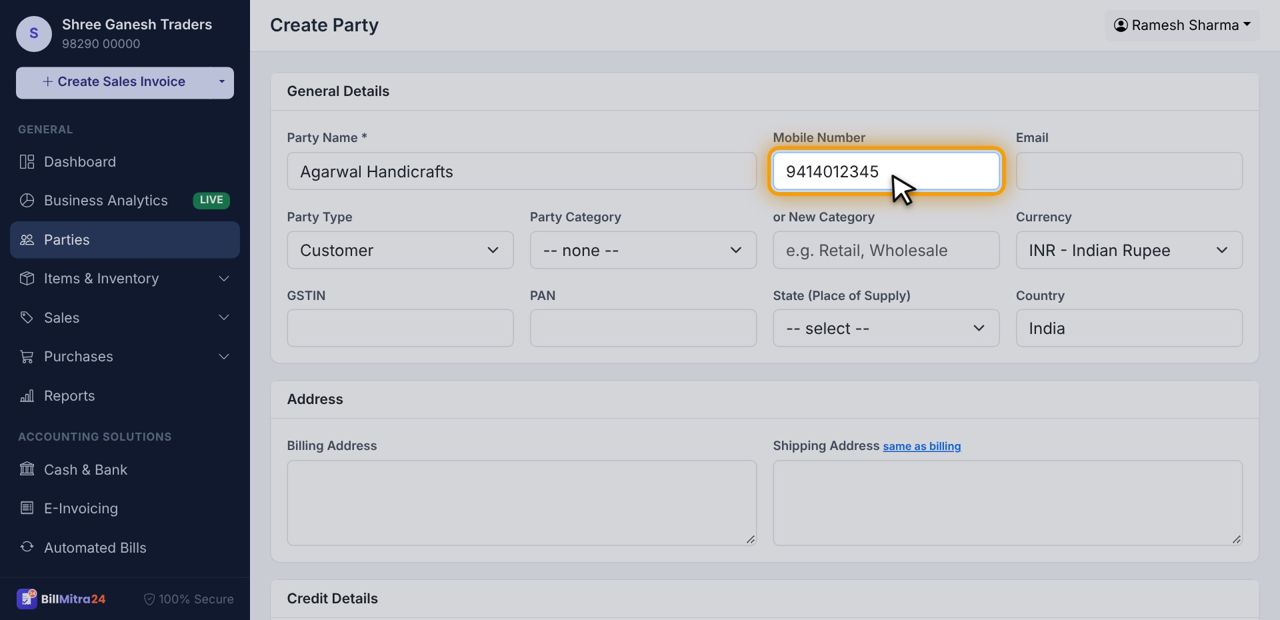
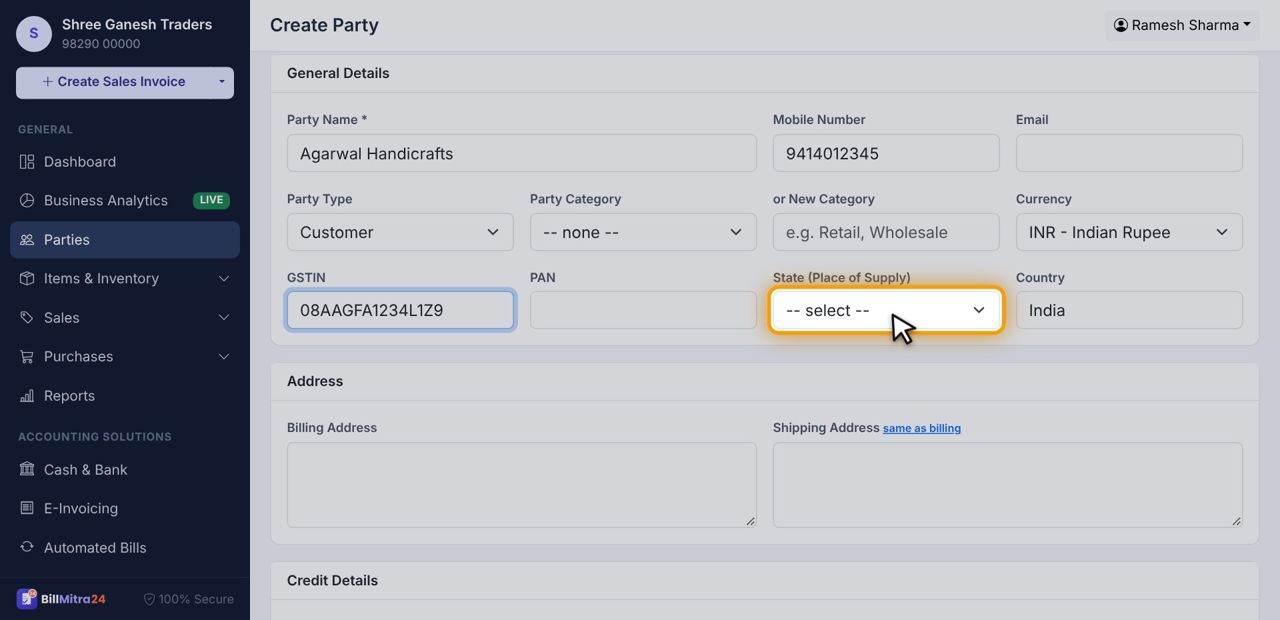
- Select whether it is a customer or supplier, add the GSTIN, billing address and state. The state is used to decide CGST plus SGST or IGST on invoices.
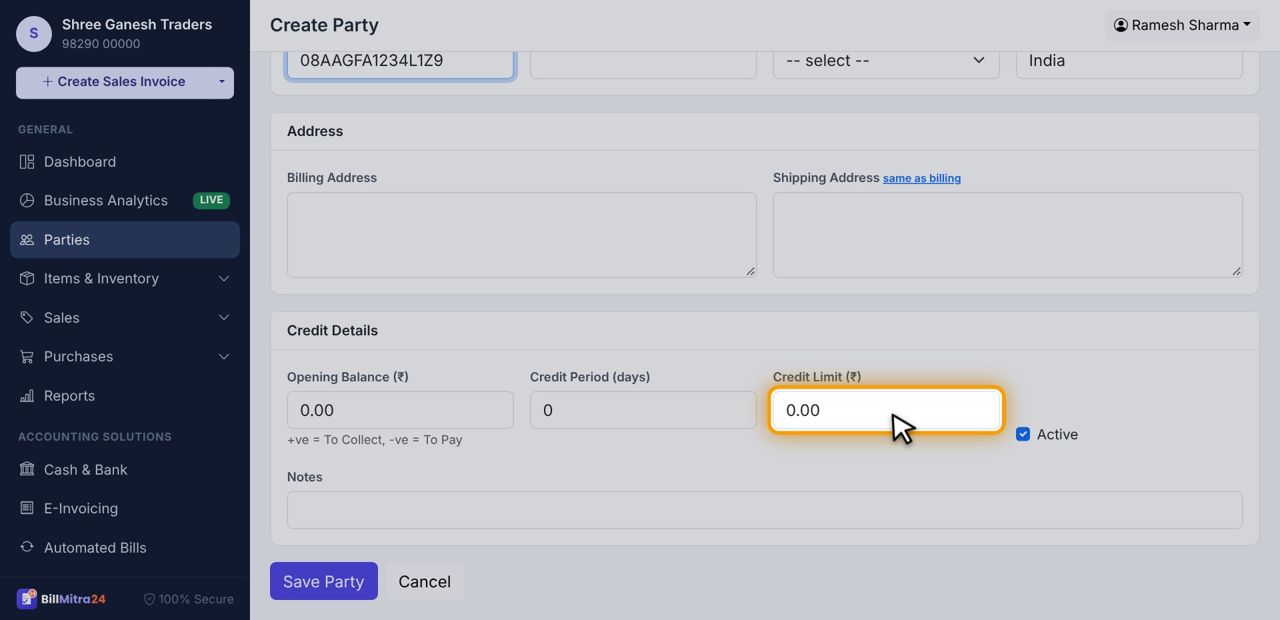
- Set the opening balance, credit limit and credit days. The due date of invoices is filled automatically from the credit days. For an export customer choose the currency, for example US dollar.
- Party ledger
Open any party to see its ledger: every invoice and payment with the running balance. From here send a WhatsApp payment reminder or create an invoice.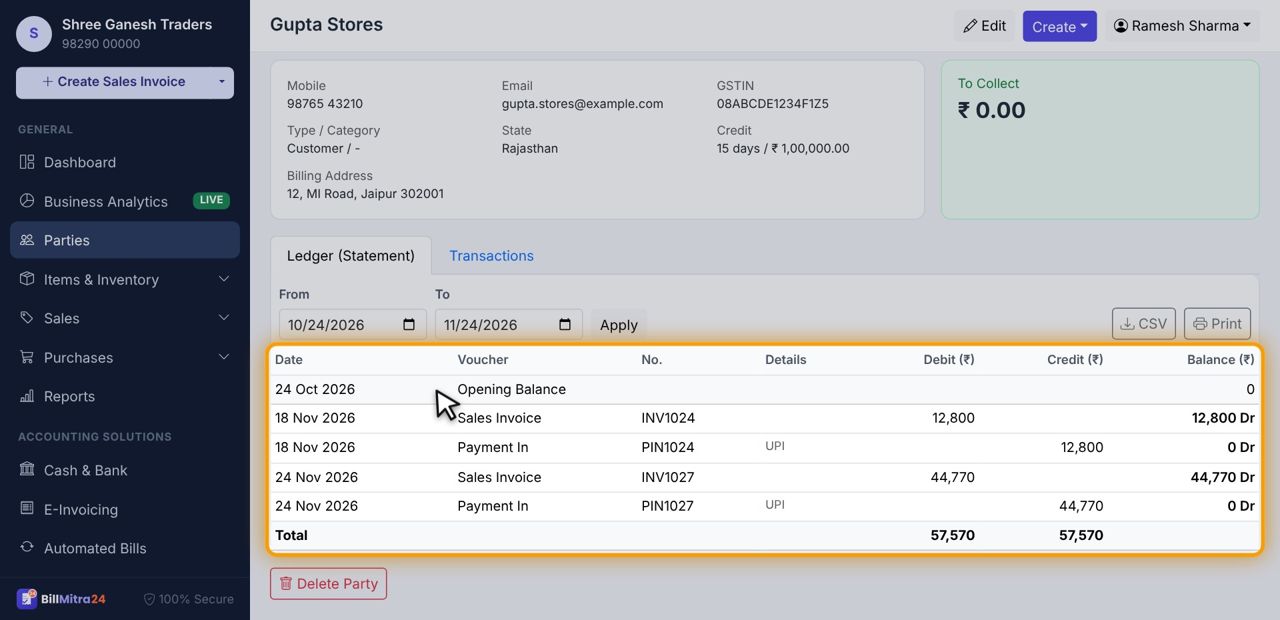
Tips
- You can also add a new party directly from the invoice screen with + New Party.
- Green arrow = to collect, red = to pay.